Automate Office Print Workflows: Cut Costs, Boost Uptime
By Maya Chen • 16th Dec
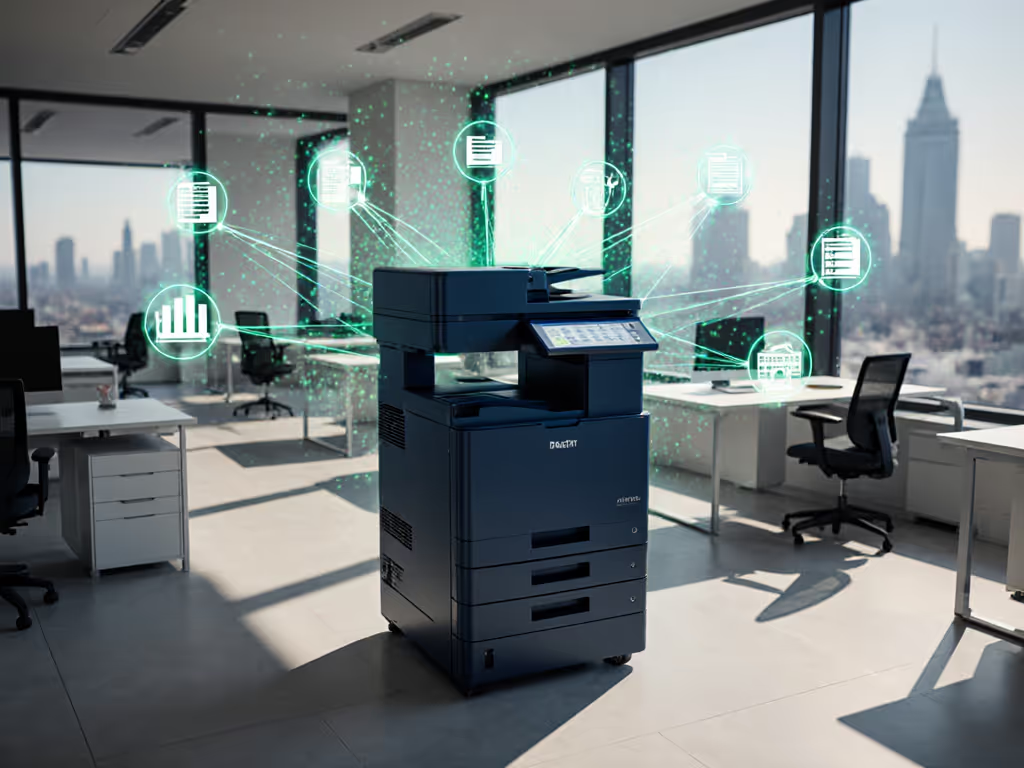
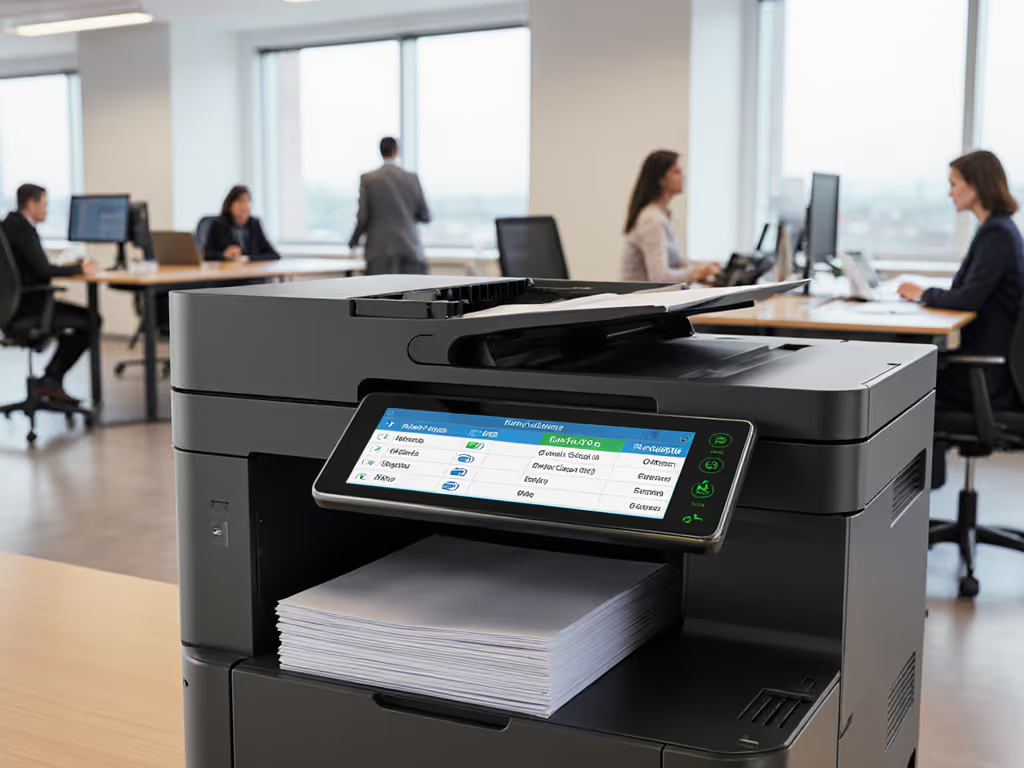
Let's cut through the marketing noise: true automated printing workflows aren't about flashy dashboards or AI buzzwords. They're about eliminating the workflow friction that spikes helpdesk tickets and chews through productivity. Forget brochure speeds; office task automation that delivers measurable uptime and predictable costs requires cold, hard workflow analysis first. After two decades mapping print ecosystems, I've seen fleets collapse under "smart" promises while basic business process automation principles get overlooked. Let me show you how to bypass the hype and build a foundation that actually works.
Why "Automation" Claims Should Trigger Your Skepticism
Most vendors pitch scheduled printing and mobile apps as transformative automation. In reality, these are table stakes that often create new problems:
- Mobile-first interfaces that sacrifice administrator controls for consumer-grade simplicity
- Document workflow presets that break when users deviate from perfect conditions
- Print job automation that fails to integrate with your actual document intake processes
During a healthcare rollout I coordinated, we discovered 62% of so-called "automated" workflows required manual intervention at least once per job cycle. The real value wasn't in the automation tools themselves, but in the workflow mapping that identified where automation could actually stick.
Uptime and driver sanity matter more than brochure speeds.
Before you invest in any solution, demand evidence of these three metrics:
- Ticket volume reduction: Not just "fewer calls," but documented decreases in specific pain points (e.g., scanning failures, supply alerts)
- Driver stability: How often do firmware updates break compatibility? What's the rollback process? For best practices on testing and rollout, see our printer firmware update management guide.
- True cost avoidance: Not just per-page costs, but the hidden costs of rework, downtime, and emergency workarounds
Without these, you're buying features, not workflow solutions.
The Uncomfortable Truth About Driver Management
Your print fleet's Achilles' heel isn't hardware, it's driver fragmentation. I've audited environments where:
- 17 different driver versions ran across a 250-device fleet
- Mac/Chromebook users defaulted to basic printing modes, losing secure release features
- Firmware updates deliberately broke third-party toner compatibility (yes, this still happens)
True driver governance requires:
- Universal driver adoption - Single driver package for all devices in a class (monochrome, color, production)
- Version control protocols - No automatic updates without testing in your environment
- Fallback mechanisms - Immediate rollback capability when updates cause issues
When our healthcare client consolidated from three driver families to two universal stacks, monthly downtime hours halved. Not because the drivers were "better," but because we eliminated compatibility variance. Standardization beats variance every time.
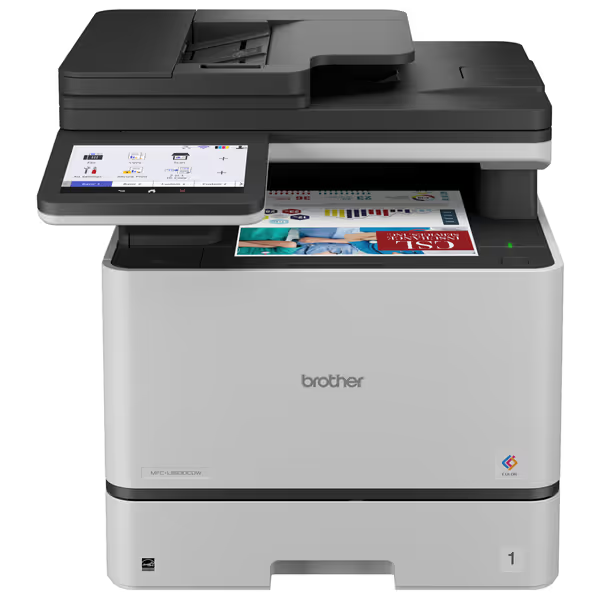
Brother MFC-L8930CDW Business Color Laser All-in-One Printer
Boost office productivity with fast, secure, and low-cost color printing.
$699.99
Print & Copy SpeedUp to 33ppm
Print & Copy SpeedUp to 33ppm
Pros
High-speed duplex scanning (104ipm) with flexible cloud integration.
Low printing costs with super high-yield toner options and included cartridges.
Cons
Mixed reviews on color quality compared to inkjets.
Print speed inconsistencies reported by some users.
Customers find the printer to be an amazing work-horse with clean and clear output, easy WiFi setup, and fast scanning capabilities. However, the functionality and print quality receive mixed reviews - while some say it works well and prints double-sided, others report it being useless and having horrible print quality. Moreover, the print speed is mixed, with some finding it very fast while others note it takes time to start printing. Additionally, the color quality and value for money are also mixed aspects, with some praising the color printing while others find it not as good as inkjet printers, and some considering it worth the price while others say it's not worth the money.
Customers find the printer to be an amazing work-horse with clean and clear output, easy WiFi setup, and fast scanning capabilities. However, the functionality and print quality receive mixed reviews - while some say it works well and prints double-sided, others report it being useless and having horrible print quality. Moreover, the print speed is mixed, with some finding it very fast while others note it takes time to start printing. Additionally, the color quality and value for money are also mixed aspects, with some praising the color printing while others find it not as good as inkjet printers, and some considering it worth the price while others say it's not worth the money.
Brother MFC-L8930CDW: Enterprise-Grade or Marketing Mirage?
Let's dissect the Brother MFC-L8930CDW through a workflow lens, not spec sheets. This color laser AIO markets itself as a "business work team" solution, but how does it hold up to real-world scrutiny?
Where it delivers:
- Triple-Layer Security implementation meets baseline compliance needs without overcomplication
- 7,500-page black/6,500-page color super high-yield toners (TN635XXL) provide transparent cost-per-page modeling
- 104ipm two-sided scanning with 80-page ADF creates viable document intake paths for records-heavy workflows
Critical gaps:
- No automatic supply monitoring - Brother's cloud service requires manual setup, creating replenishment blind spots
- Firmware update policy - Updates apply automatically unless disabled, risking driver conflicts
- ChromeOS support limited to basic printing - no secure release or scan workflows
Most damning: The marketed "searchable/editable Office documents" scanning requires third-party software ($299/user), turning a selling point into a hidden cost. If scanning throughput and accuracy are critical, review our ADF and OCR efficiency guide to standardize settings and avoid rework. For finance or legal teams needing document automation, this creates a workflow gap between scanning and actual utility.
Workflow match score: Solid for Windows-centric environments with controlled update cycles, but risky for hybrid OS environments needing true scanning automation.
HP OfficeJet Pro 9135e: Consumer Vibes in an Enterprise Wrapper?
HP's OfficeJet Pro 9135e pushes "AI-enabled workflow adaptation," so let's see if it survives contact with reality.
Where it delivers:
- HP AI web page formatting genuinely reduces wasted pages from awkward print layouts
- Dual 250-sheet trays with different media support enable basic document separation
- Three months of Instant Ink provides temporary cost predictability
Critical gaps:
- The HP+ lock-in trap - "HP Wolf Pro Security" blocks non-HP cartridges via firmware updates
- No Mac driver for secure release - Mac users default to unsecure printing
- Scanning to cloud services requires per-user HP account setup, creating onboarding friction
The "40% recycled plastic" sustainability claim feels hollow when you calculate the lifetime cost of proprietary cartridges. One client discovered their effective cost-per-page jumped 38% after the Instant Ink trial ended, with no warning in the sales materials.
Workflow match score: Only viable for Windows-heavy environments with controlled cartridge budgets. The HP+ ecosystem creates dangerous supply chain vulnerability.
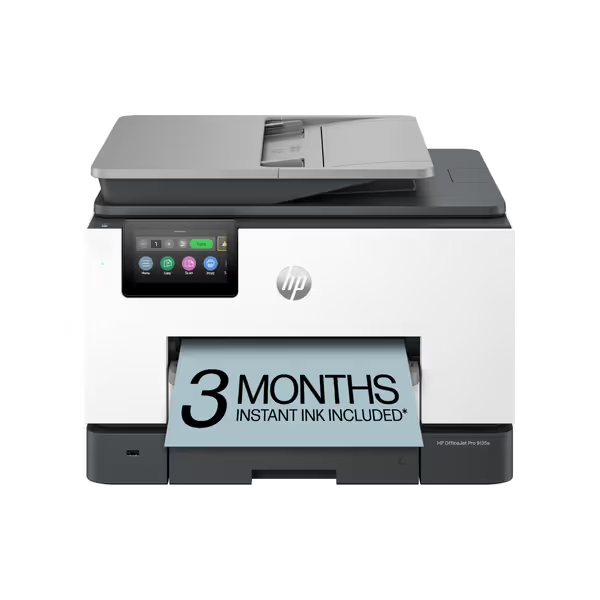
HP OfficeJet Pro 9135e All-in-One Color Printer
AI-enhanced color inkjet for professional documents with strong security features.
$329.89
Print SpeedUp to 20 ppm color / 25 ppm black
Print SpeedUp to 20 ppm color / 25 ppm black
Pros
HP AI ensures perfectly formatted web/email prints, eliminating waste.
Integrated HP Wolf Pro Security protects against cyber threats and malware.
Cons
Mixed user reports on functionality, print quality, and setup ease.
Frequent connectivity drops and paper jam issues reported by users.
Customers report mixed experiences with the printer's functionality, with some saying it performs well while others mention it stops working. The print quality and speed receive mixed feedback, with some finding it good and fast while others report poor results and slow performance. Setup experiences are inconsistent, with some finding it easy to set up while others struggle with the process. Customers report significant connectivity issues, with the printer frequently losing WiFi connection, and experience problems with paper jams. Value for money is also mixed, with some finding it great for the price while others consider it a waste of money due to expensive ink cartridges.
Customers report mixed experiences with the printer's functionality, with some saying it performs well while others mention it stops working. The print quality and speed receive mixed feedback, with some finding it good and fast while others report poor results and slow performance. Setup experiences are inconsistent, with some finding it easy to set up while others struggle with the process. Customers report significant connectivity issues, with the printer frequently losing WiFi connection, and experience problems with paper jams. Value for money is also mixed, with some finding it great for the price while others consider it a waste of money due to expensive ink cartridges.
Risk Register: What Vendors Won't Tell You
Every automation project carries hidden risks. Here's what I tell clients to watch for:
Supply Chain Vulnerability
| Risk | Brother MFC-L8930CDW | HP OfficeJet Pro 9135e |
|---|---|---|
| Cartridge availability | Standard toner widely available (TN635 series) | HP+ blocks third-party cartridges |
| Firmware lockouts | None found | Regular updates block non-HP supplies |
| Supply monitoring | Manual tracking required | Automatic but requires HP+ subscription |
Driver Compatibility Spectrum
The reality of cross-platform support:
- Windows: Both solutions offer robust drivers
- Mac: Brother provides full feature parity; HP lacks secure release
- ChromeOS: Brother offers basic printing only; HP provides limited functionality
- VDI: Neither solution fully supports virtual environments without add-ons If you support mixed Windows, macOS, and Linux environments, start with our OS compatibility checklist.
Workflow Integration Reality Check
Neither solution natively integrates with common document management systems without custom development. For a deeper plan on SharePoint, Documentum, and OpenText connections, see our DMS printing workflow integration guide. Expect to spend:
- 40-80 hours building SharePoint/Teams scan shortcuts
- $2,000-$5,000 on middleware for ERP integration
- Ongoing maintenance costs for connection monitoring
Map the job, then spec the device.
This isn't about choosing the "best" printer, it's about matching capabilities to your actual document intake, processing, and archival workflows.
Building Sustainable Workflow Automation: A Pragmatic Path
Forget "set and forget" promises. Real workflow automation requires deliberate construction:
Phase 1: Workflow Mapping (Non-Negotiable)
- Track document journeys for 30 days - intake to archive
- Identify constraint points where manual intervention happens
- Calculate true cost per touch including rework and downtime
No automation should be purchased before this step. Period.
Phase 2: Driver Governance Framework
Implement these non-negotiables:
- Universal driver policy - Maximum of 3 driver families across your fleet
- Version control protocol with 30-day testing window
- Fallback documentation accessible to helpdesk staff
Phase 3: Supply Chain Validation
Before signing any contract, verify:
- Toner supply chain continuity (minimum 12-month forecast)
- Firmware update policy (written in contract)
- Third-party supply compatibility guarantees
Phase 4: Incremental Rollout
Start with one workflow, not your entire fleet. Measure:
- Ticket volume before/after by category
- Actual uptime (not just "available" status)
- True cost per completed workflow
Final Verdict: Which Solution Wins for Your Workflow?
Let's cut through the noise with a reality-based recommendation:
Choose the Brother MFC-L8930CDW if:
- You operate primarily in Windows environments
- Your workflows require high-volume scanning with SharePoint integration
- You need guaranteed toner supply chain continuity
- Security compliance is non-negotiable
Choose the HP OfficeJet Pro 9135e if:
- Your environment is Windows-heavy with minimal Mac usage
- Short-term cost predictability outweighs long-term supply risk
- Web page formatting is a critical workflow bottleneck
- You accept HP's ecosystem lock-in model
Don't choose either if:
- You need ChromeOS or VDI support
- You operate in highly regulated environments requiring audit trails
- Your workflows include regular specialty media printing
- You lack resources for custom integration development
True automated printing workflows aren't bought; they are built. They start with workflow-first analysis, not device specs. They prioritize driver stability over feature bloat. And they measure success by uptime, not pages per minute.
Before you invest another dollar in "automation," map your actual document flows. Find where friction exists. Then (and only then) spec devices that solve those specific problems. That's how you cut costs while boosting uptime. Because no amount of AI can fix a workflow that was never mapped in the first place.
Related Articles