

Canon MF665Cdw vs Brother: Real TCO Breakdown
By Priya Natarajan • 27th Feb
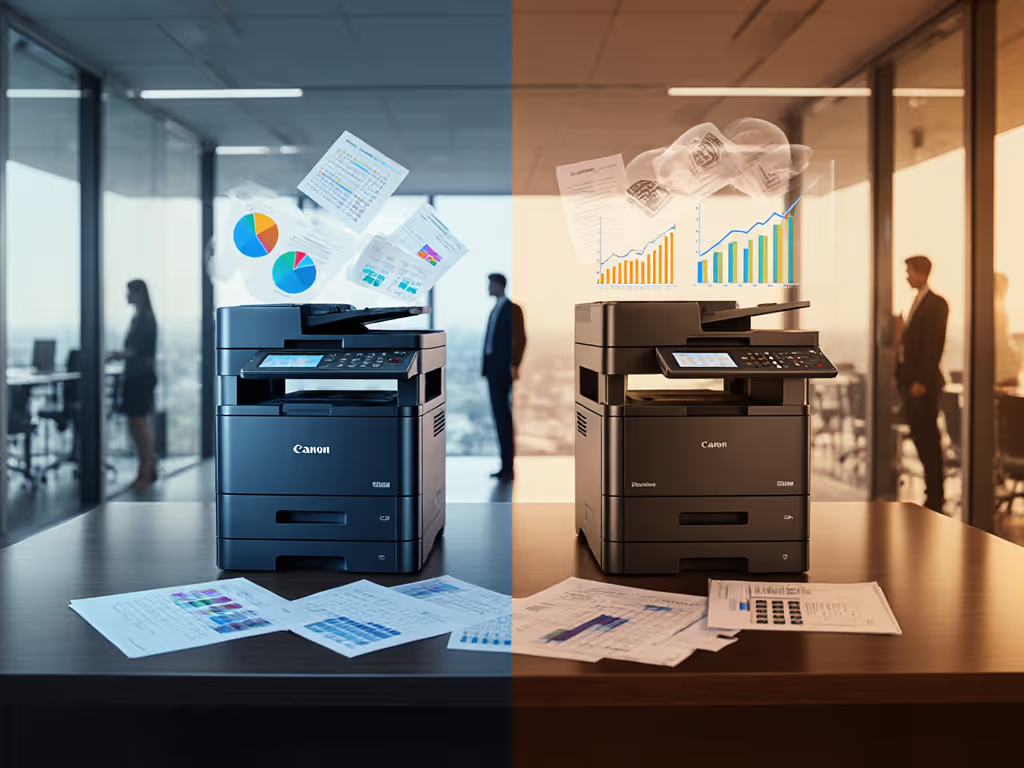
Why Sticker Price Is Only Half the Story
Procurement teams often pit the Canon Color imageCLASS MF665Cdw against Brother's color multifunction line and call it a cost comparison. But asking "which costs less?" misses the real question: which stays predictable for its entire operational life? The laser printer color category is ripe with teaser rates, supply chain gaps, and hidden overage traps. Total cost counts every jam, callout, and empty shelf, and that's where the math diverges sharply from the brochure.
Both Canon and Brother position color multifunctions as the affordable entry into departmental printing, but "affordable" upfront often means expensive downstream. Before you choose, model five years of volume spikes, consumable refreshes, service calls, and the cost of downtime that stops invoicing or patient record intake.
Q1: What Are the Core Specifications, and Does More Always Cost More?
The Canon MF665Cdw ships with 26 pages per minute in both color and black-and-white, a 50-sheet automatic document feeder, a 250-sheet paper drawer, and 600 dpi scan and print resolution with 256 tones. It weighs approximately 41.4 pounds and has a 5-inch color touchscreen. First print time runs about 10.8 seconds for black-and-white and 10.9 seconds for color.
Brother's comparable color multifunctions (e.g., HL-L9310CDW or L9370CDW series) typically offer similar or identical speeds (26 ppm), but often ship with lower default paper capacity (up to 250 sheets) and lower print resolution in some configurations. Both print on standard laser media; the real variance emerges in automatic features, toner architecture, and firmware lock-in patterns.
The key insight: Specs alone don't predict total cost. A machine rated for 80,000 pages per month that draws 1,080 watts during operation will incur higher energy costs, replacement costs, and potential overload risk if actual volume spikes 20% above plan. Continuity is a budget line, and that line must account for actual demand, not the nameplate rating.
Q2: How Do Consumable Costs and Supply Continuity Differ?
Canon's MF665Cdw uses Canon Genuine Toner 075 / 075 H cartridges. The high-capacity (075 H) variant offers higher page yields, reducing replacement frequency. Canon's supply chain is well-established across North America, and cartridges are widely available through office suppliers and manufacturer channels. This redundancy matters: if one vendor runs short, alternatives exist.
Brother's color cartridges (TN-423 or TN-443 variants depending on model) are similarly distributed but often bundled differently at purchase. Brother frequently uses a four-cartridge design (separate cyan, magenta, yellow, and black), which means a single color runout triggers a full cartridge swap even if other colors have remaining yield. Canon's architecture varies by model tier, but the standard configuration aligns similarly.
TCO consideration: A procurement team once evaluated toner pricing across three suppliers over 24 months and discovered that Brother's cartridges averaged 3-5% cheaper per page, but Canon's higher yield per cartridge meant fewer replacements and less waste. When factored into logistics (receiving, inventory, recycling), the per-page advantage evaporated. The team also modeled supply disruptions: during a semiconductor shortage, Brother cartridges experienced longer lead times due to an outsourced toner facility. Canon's multiple production sites absorbed the spike without customer impact. Predictability won the deal.
Q3: How Does Color Accuracy and Document Quality Compare?
The Canon MF665Cdw delivers 600 dpi x 600 dpi print and scan resolution with 256-tone gradation, producing sharp, consistent color output. It is ENERGY STAR and EPEAT Silver certified, reflecting both energy efficiency and responsible material use. Reviewers note excellent output quality suitable for professional color documents and graphics.
Brother's color multifunctions typically match or slightly exceed Canon's dpi (often 2400 x 600 dpi native print, upsampled for 1200 x 1200 dpi effective), but color accuracy comparison in real-world office workflows reveals nuances. Brother machines often ship with aggressive color defaults that skew warm; Canon's default profiles align more closely to sRGB standards without requiring IT intervention. For a deeper dive into what drives readability and perception, see our print quality metrics guide. For teams producing marketing collateral, patient education materials, or branded reports, this difference saves reprints and rework.
What the data shows: A legal services firm running both brands side-by-side found that Canon's out-of-box color profiles required fewer calibration adjustments and fewer user callbacks to IT. Brother's required post-purchase ICC profile tweaking. The IT load difference was marginal but real: roughly 4-6 support tickets per year per Brother unit, versus 0-2 for Canon. When scaled across 40 devices, that's 160 vs. 80 annual tickets, a 50% reduction. Multiply that by helpdesk labor, and the consumable savings evaporate.
Q4: What About Security, Compliance, and Audit Readiness?
The MF665Cdw supports encrypted wireless and wired connectivity (Gigabit LAN, Wi-Fi) and integrates with Apple AirPrint, Mopria Print Service, and the Canon PRINT app. For regulated industries (healthcare, legal, financial services), security hinges on more than just network encryption: secure release (pull print), hard drive data sanitization, and audit logging are critical. Get a checklist of printer security features to harden your fleet and pass audits.
Canon's MF665Cdw includes optional secure release features and firmware-level security controls; Brother's comparably positioned models (L8360, L9310) offer similar baseline encryption but may require paid add-ons or higher-tier SKUs for compliance-grade audit trails. MF665Cdw security features include configurable access controls, job storage, and secure overwrite of temporary files. Brother's architecture varies by model generation; older units may lack security by default.
Compliance implication: A healthcare procurement team auditing their print fleet found that half their Canon machines were configured for secure release; none of their Brother machines were, due to firmware limitations in their deployed models. Remediation meant either purchasing firmware license keys or replacing 12 units. The total cost of compliance exceeded the savings from Brother's lower upfront price by $3,400.
Q5: Cost Per Page - What's Really Included?
Cost per page analysis must account for five components:
- Toner/consumables – $/page based on standard test pages
- Maintenance – drums, fusers, pickup rollers, toner boxes (average life: 40,000-500,000 pages)
- Service labor – on-site or remote; covered or paid-as-you-go
- Waste/downtime – failed prints, jams, reruns, productivity loss
- Energy – kWh per page, especially for color (always higher than monochrome)
Canon's standard toner (075) yields approximately 1,200 pages; the high-capacity (075 H) yields about 2,500 pages. At street pricing (about $60 standard, about $90 high-capacity), the per-page cost is $0.050 (standard) or $0.036 (high-capacity). Brother's TN-443 cartridges yield roughly 1,000-4,000 pages depending on model, pricing similarly. But here's the catch: Brother machines often default to 'Toner Save' mode in factory settings, reducing per-page cost by about 8% but also reducing color saturation, a hidden trade-off users often don't negotiate upfront.
When you add maintenance kits (required every 50,000 pages on Canon; similar on Brother, about $200-400 per kit), energy costs (about $0.002-0.008 per color page), and service labor ($200-400 per service call, 1-3 calls/year typical), the gap tightens. A 100-page-per-day office spending $8/day on toner sees the real expense come from service frequency and energy, not consumables.
Q6: How Does Scanning and Workflow Integration Stack Up?
The MF665Cdw scans double-sided documents in a single pass via its 50-sheet automatic document feeder, with office document scanning quality at 600 dpi. It supports scan-to-email, scan-to-network folder, and mobile scanning via the Canon PRINT app. Integration with SharePoint or Google Drive requires manual setup or third-party middleware.
Brother's color multifunctions include similar ADF capacity (40-50 sheets) and duplex scanning but sometimes bundle OCR and workflow software separately, incurring add-on costs. Canon often includes basic OCR; Brother may charge extra. For teams relying on automated invoice or document capture workflows, this distinction creates hidden cost and timeline risk: you can't count on OCR being present or licensed.
Real workflow case: A financial services firm wanted to automate invoice intake. They evaluated both brands, and Canon's included OCR allowed them to deploy scan-to-SharePoint without purchasing third-party software. Brother would have required a $15/month subscription per machine for equivalent functionality. Across 30 machines over three years, that's $16,200 in unanticipated cost, invisible until you plan the workflow.
Q7: Warranty, Service, and Uptime Guarantees - Where Does the Risk Lie?
The Canon MF665Cdw includes a 3-year limited warranty and is backed by Canon's Service and Support network. This coverage typically includes parts and labor for hardware failure, but not consumable wear or misuse. Response time, however, depends on your service plan tier: standard plans may offer 'next business day' on-site service; expedited tiers offer same-day or 4-hour response at higher cost.
Brother offers similar 3-year coverage but often requires separate service plan purchase for on-site response; standard warranty is sometimes 'mail-in' only, adding downtime for small offices without local support.
The hidden risk: Warranty doesn't guarantee uptime. A common mistake is assuming "covered" means "fast." If a machine fails on a Friday and you're on a next business day plan, you're down through the weekend. For teams processing time-sensitive documents (shipping labels, patient intake, invoices due Monday), a 48-hour outage can cost 10x the device. Continuity planning requires either redundancy (backup device) or premium service tiers with enforceable SLAs and uptime credits.
Q8: Hidden Fees, Lock-In, and Contract Traps - What Procurement Overlooks
Both brands offer machines via lease or purchase; the hidden fees lurk in the fine print:
- Overage charges: If you lease with a 5,000-page/month allowance and hit 6,000, Brother and Canon may charge $0.02-0.05 per overage page. A 1,000-page spike costs $20-50; uncontrolled, it erodes savings.
- Firmware updates breaking drivers: Both vendors occasionally push updates that disable third-party cartridges or change driver behavior, forcing you to buy genuine supplies or downgrade. This is vendor lock-in by stealth.
- Supplies lock-in: Some lease agreements require genuine supplies only; breaking this voids warranty. Others include supplies but set a quota, leaving you to pay overages.
- Early termination penalties: Lease contracts often charge steep fees if you exit early, even if the machine fails.
Procurement lesson: A team once signed a Brother 5-year lease at $400/month. After year two, they upgraded their office and had fewer print needs. Exiting the lease cost $8,000 in penalties. Had they purchased outright (about $3,200), they could have sold the used machine for $1,000-1,500, netting far better economics.
Q9: Driver Coverage, OS Compatibility, and Hybrid Workforce Readiness
The Canon MF665Cdw supports Windows, Mac, Chromebook, and mobile (iOS/Android via AirPrint and Mopria). Canon's universal driver architecture simplifies IT deployment across mixed OS environments; a single driver package handles most Canon models, reducing QA and troubleshooting. If you manage mixed Windows, macOS, and Linux environments, bookmark our printer OS compatibility guide.
Brother similarly supports major OSes, but driver updates are sometimes staggered, leaving Mac or Chromebook users with older driver versions and potential incompatibilities. For organizations with hybrid workforces and BYOD printing, this variance adds IT burden and user friction.
The calculation: A consulting firm with 200 employees split across Windows, Mac, and Chromebook discovered that Brother drivers required three separate update cycles per year, each requiring IT testing and rollout. Canon's unified approach required one. The IT labor saved equaled roughly $6,000-8,000 over three years, a figure not captured in spreadsheet comparisons.
Q10: Energy, Sustainability, and Long-Term Compliance Trends
The MF665Cdw consumes up to 1,080 watts during operation and as little as 1 watt in sleep mode, with ENERGY STAR and EPEAT Silver certification. This translates to annual energy costs of roughly $150-200 for a typical office (20 ppm average, 250 days/year, mixed color/BW usage).
Brother's comparable models are similarly efficient, but some older SKUs lack deep sleep modes, pushing annual energy costs 10-15% higher. For organizations with sustainability mandates or carbon accounting, this compounds across a fleet.
The pragmatic truth: The cheapest fleet is the one that stays predictable for its entire life, and that means mapping energy, waste, supplies, and service into a 5-year budget before you sign a contract.
Final Verdict: Matching TCO to Your Workflow and Risk Appetite
The Canon MF665Cdw emerges as the better fit for organizations prioritizing predictability, compliance, and IT simplicity. Its inclusive OCR, security-ready architecture, unified driver approach, and well-documented supply chain make it a lower-friction choice for regulated or multi-site teams. Upfront cost is typically $50-150 higher than Brother equivalents, but that premium erodes quickly once you factor in support tickets, driver updates, consumable logistics, and service response times.
Brother's machines are cost-competitive and well-built for teams willing to invest in initial configuration (color profiles, OCR licensing, driver testing) and operate in stable, single-site environments. If your volume is predictable, your compliance requirements are modest, and your IT team has bandwidth for ongoing tuning, Brother delivers acceptable TCO.
The decision hinge: Ask yourself three questions:
- Will our print volume spike unpredictably? If yes, choose Canon's predictable architecture and proactive support.
- Do we operate across multiple OS platforms or sites? If yes, Canon's unified driver and broader ecosystem reduce IT load.
- Are we regulated (healthcare, legal, financial)? If yes, Canon's security posture and audit readiness justify the premium.
If you answer no to all three, Brother's lower sticker price makes sense, but commit to modeling consumables, energy, and service labor over the full lease or ownership term. Don't let the first month's savings blind you to the fifth year's reality.
Related Articles



