

Cloud Printing Ecosystems: Hybrid-Work Security Comparison
By Priya Natarajan • 16th Apr
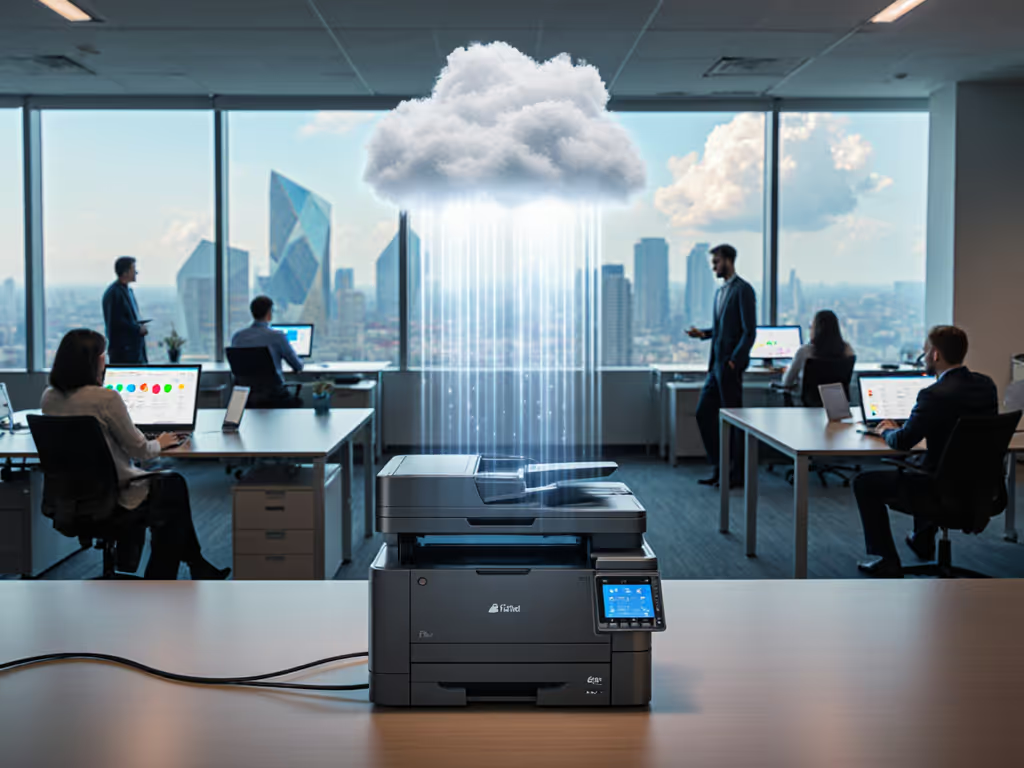
Choosing a cloud printing ecosystem comparison approach for hybrid teams isn't about picking the fastest or flashiest option, it is about modeling real security risks, total cost scenarios, and what happens when supplies backorder or a firmware update breaks your workflows. Office printer cloud integration has moved from novelty to necessity, but the security and operational contours vary dramatically depending on whether you're mapping a SaaS-first deployment, bolting cloud features onto legacy hardware, or architecting a hybrid bridge. This deep dive takes a skeptical, cost-focused lens to the major ecosystem choices, stress-testing them against the workflows and vulnerabilities that actually trip up hybrid teams.
What Are the Main Cloud Printing Ecosystems, and How Do They Differ on Security?
Cloud printing comes in three distinct flavors, each with different security profiles. Corporate cloud printing lets employees print to any networked or home printer while IT removes print servers and drivers, a flexibility win for remote workers but a security concern if you're not locking down access controls. Consumer-based cloud printing connects personal devices to home printers, which works for bring-your-own-device (BYOD) scenarios but introduces unmanaged endpoints and weak authentication. Commercial cloud printing leverages production networks, typically for external services rather than internal workflows.
For hybrid work, corporate cloud printing dominates, but its security posture hinges on one critical fact: the more flexible your printing, the larger your attack surface. Unsecured endpoints multiply the pathways for credential theft, man-in-the-middle interception, and unauthorized document access. The default assumption (that cloud automatically equals secure) crumbles once you stress-test authentication, encryption, and audit trails. If you operate under HIPAA or PCI, see our enterprise cloud print security comparison for control requirements and ecosystem trade-offs.
Microsoft 365 cloud printing and Google Workspace printing reliability represent the most common enterprise paths. Both require deliberate configuration of access policies, print quotas, and secure release protocols tied to your identity provider rather than relying on default settings. Neither is a "set and forget" choice; both demand contract language that specifies security requirements, not hopes.
How Much Does Security Architecture Actually Cost in a Hybrid Model?
Here's where scenario analysis pays dividends. A cloud printing deployment without explicit security hardening can seem cheap upfront: no print servers to buy, drivers pre-configured. But total cost counts every jam, callout, and empty shelf; it also counts every unencrypted print job sitting in a shared queue or every driver compatibility issue that lands a call on the helpdesk. Standardize drivers across OSes with our printer driver management guide.
Break down a typical hybrid-work cloud printing setup over five years:
| Cost Component | Minimal Security Model | Hardened Security Model |
|---|---|---|
| Cloud Print Service (SaaS) | $2-5/user/month | $4-8/user/month |
| Identity provider licensing | Included | Included |
| Print management (encryption, quotas, audit) | $0 (manual workarounds) | $1-3/user/month |
| Secure device firmware and support | Basic updates | Extended security patches |
| Helpdesk time for driver/access issues | 5-15 hours/site/year | 2-5 hours/site/year |
| Breach response and compliance remediation (amortized) | Variable, often $50K+ | Included in SLA |
| Total per employee (5-year amortized) | $1,500-2,200 | $2,800-4,100 |
The minimal model looks attractive on a per-user basis, but it trades short-term savings for long-term vulnerability. A single unencrypted document leak (patient records, financial data, legal drafts) can erase years of savings in breach response, compliance fines, and reputation damage.
I encountered a scenario during a contract review where procurement wanted the cheapest per-page rate and cloud service. We modeled five years of volume spikes, toner supply disruptions, and on-site response challenges. A mid-tier fleet with universal drivers and integrated identity management beat the bargain lease once overage, waste, and downtime were factored in. Finance approved the switch, and month-end printing scrambles (and helpdesk chaos) nearly disappeared.
What Security Features Must Be Non-Negotiable in a Cloud Printing Ecosystem?
Robust encryption is table stakes, not a premium add-on. Verify that your cloud print service provider encrypts data in transit (TLS/SSL) and at rest, with clear documentation of cipher strength and key management. Weak encryption, or encryption that's off by default, is worse than no encryption claim because it creates false confidence.
User authentication and access control must tie directly to your identity provider. Your cloud printing system should integrate with Azure AD, Entra, or Google identity. LDAP or single-sign-on (SSO) is the minimum; multi-factor authentication (MFA) on print actions, especially pull/secure release, is the target. If your cloud printing system allows unauthenticated or weakly authenticated job submission, you're not deploying cloud printing; you're deploying a broadcasting service.
Secure release and pull printing deserves special emphasis. Traditional printer queues left documents sitting on physical output trays, visible to anyone walking past. Cloud printing can replicate this nightmare digitally if jobs aren't held until the user authenticates at the device. PIN-based or badge-based release, paired with job expiration (for example, 24 hours), closes this gap.
Audit trails and compliance logging must capture who printed what, when, to which device, and whether the job completed or failed. This isn't optional for regulated industries (healthcare, finance, legal). The audit log should be immutable, centrally stored, and queryable, not a static CSV buried in a portal. Line-item breakdowns matter here: which users consumed the most color? Which devices had the highest failure rates? These dashboards often reveal compliance violations or user behavior patterns.
Firmware security and driver management are the overlooked layer. If a printer's firmware is unsigned or auto-updates without validation, attackers can inject malicious code that intercepts print jobs or exfiltrates data. Your cloud printing contract should mandate signed firmware updates, transparent version control, and a clear rollback procedure. For hardening steps and policy templates, see printer firmware security.

How Do You Compare Security Between Microsoft 365 and Google Workspace Printing?
Microsoft 365 cloud printing typically pairs identity with device-level access control and tenant isolation through your cloud identity service. For organizations already embedded in this ecosystem, the integration is native. The catch: adoption may require newer printers with native support or a gateway connector, adding cost and architectural complexity. Legacy hardware often needs a bridge, which fragments your security model.
Google Workspace printing reliability depends on third-party vendors because Google deprecated its consumer Cloud Print service. This decoupling is honest but fragmented, you are now managing two vendors (Google identity, print service), with the print service potentially having weaker integration than bundled options. However, third-party solutions sometimes offer more granular controls (quotas, duplex defaults, secure release) than bundled offerings.
Hybrid work cloud printing security depends less on brand and more on contract language clarity. Both Microsoft and Google deployments are vulnerable if:
- Access controls default to "allow all devices" rather than "allow only enrolled, managed devices."
- Secure release is optional rather than mandatory.
- Audit logs are not retained for 90+ days.
- Driver updates bypass administrator approval.
The real risk is organizational drift: teams shadow-print through unsecured devices or personal cloud services because IT's "official" system is too rigid or slow. Sensitivity analysis on this risk is often overlooked until it surfaces in a compliance audit.
What Role Do Supply Continuity and SLA Terms Play in Total Security Cost?
Security isn't just authentication and encryption, it is also uptime, predictability, and supply chain resilience. A hardened cloud printing system that stops working because toner is backordered or a security patch breaks compatibility is, paradoxically, a failed security system.
Continuity is a budget line.
Contracts must specify:
- Uptime SLA: 99%+ availability with credits (for example, 5% service credit for every 0.5% below 99%). "Best effort" is not an SLA.
- Supply terms: Is toner included, excluded, or subject to overage fees? Multi-source cartridges (genuine, compatible, remanufactured) or vendor-locked? Auto-replenishment or manual reordering?
- Firmware and driver support: Who patches security vulnerabilities, and how quickly? Is support proactive (alerts sent before issues) or reactive (you report, they respond)?
- Compliance hold: If your cloud printer is subpoenaed or subject to litigation, can the vendor freeze print jobs and metadata on demand? Is this contractually guaranteed?
A cheaply priced cloud printing service with vague SLAs and single-source supplies is security theater. One supply disruption or uncommunicated firmware break resets your compliance posture and floods the helpdesk.
How Do You Stress-Test a Cloud Printing Ecosystem Before Committing?
Scenario analysis is the rigor you need. Before contract signature, model:
- Peak volume stress: If your organization runs a month-end billing cycle or quarterly close, print volume can spike 3-5x. Will your cloud service and devices sustain this without queuing delays or job failures?
- Simultaneous device failure: What happens if the primary print device fails? Is failover automatic and transparent to users, or do jobs queue and backup?
- Network outage: If your internet connection drops, can cloud printing still work (for example, via a local gateway), or is every print job lost? Plan printer roles in your disaster recovery strategy to keep critical documents flowing during outages.
- Firmware update or service maintenance: How much notice does the vendor give? Can you schedule downtime, or is it forced? What's the rollback procedure?
- User behavior drift: If hybrid workers increasingly print from unsecured personal devices or non-enrolled Chromebooks, does your security stack alert IT, or does it silently allow the job through?
- Compliance audit: Simulate a compliance request (for example, HIPAA, PCI, SOC 2). Can the vendor deliver an audit-ready report of all print activity for a given user or time period within 48 hours?
Sensitivity analysis on assumptions is equally important: assume toner costs rise 10%, support response times slip to 8 hours instead of 2, and device failure rates exceed warranty terms by 20%. Does your total cost model still hold? If not, renegotiate contract language now.
What's the Real Trade-Off Between Flexibility and Security in Hybrid Cloud Printing?
Hybrid work demands flexibility: remote workers, BYOD, guest printing, multiple time zones. But flexibility is a security multiplier. Every new access point, device type, and network path is a potential liability. The real question isn't "should we be flexible?" but "which flexibilities add real value, and which are security tax?"
High-value flexibilities:
- Mobile printing from managed devices (for example, Intune-enrolled Android phones, MDM-managed iPads).
- Secure guest printing to a restricted guest queue with IP whitelisting and time expiration.
- Remote release (pull-to-print) for users on VPN or at home.
Low-value, high-risk flexibilities:
- Printing from personal laptops or BYOD devices to secured queues (defeats identity control).
- Cloud printing without MFA or badge verification.
- Open-network printing without encryption.
The cloud print workflow efficiency that wins isn't the most flexible; it's the one that makes the right flexibilities frictionless and wrong flexibilities impossible.
Summary and Final Verdict
Cloud printing ecosystem comparison for hybrid work hinges on three intertwined decisions: security architecture, total cost modeling with sensitivity analysis, and contract language that enforces continuity.
Microsoft 365 cloud printing is the integrated choice for organizations already on Azure AD, offering tight identity control and audit logging but potentially locking you into newer devices or gateway appliances. Google Workspace printing reliability through third-party integrators offers flexibility and granular controls but fragments vendor relationships and requires active management.
Neither choice is cheap if you do it right. A hardened deployment costs 40-70% more upfront than a permissive one, but it prevents breaches, compliance fines, and helpdesk chaos. Conversely, a low-cost deployment that trades security for price is a predictable path to operational debt and month-end scrambles.
The verdict: Continuity is a budget line. Lock down identity integration (SSO, MFA, secure release), mandate SLAs with uptime credits and supply guarantees, stress-test supply chain resilience, and never assume cloud automatically means secure. The cheapest fleet is the one that stays predictable for its entire life, and predictability in hybrid cloud printing is a function of security, uptime, and supplies. Model it, contract it, monitor it.
Related Articles



